

-
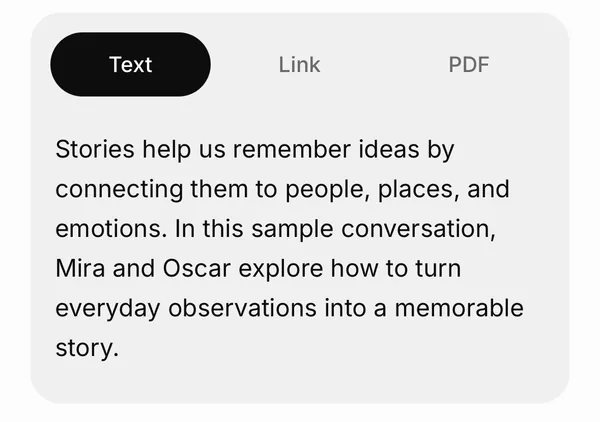
Add text, a link or a PDF
Paste text, add up to 5 public article links, or choose a PDF with selectable text (up to 10 MB).
-
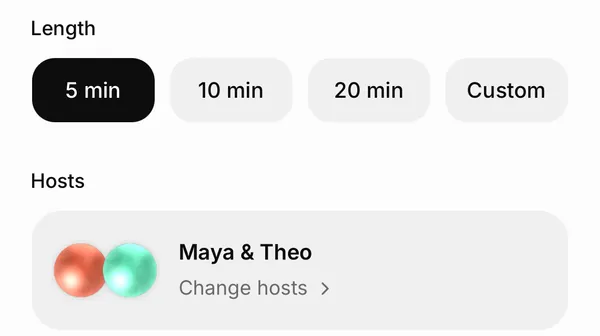
Pick a length and the hosts
5, 10 or 20 minutes, or Custom. Choose the hosts, and under Customize the language and the style.
-
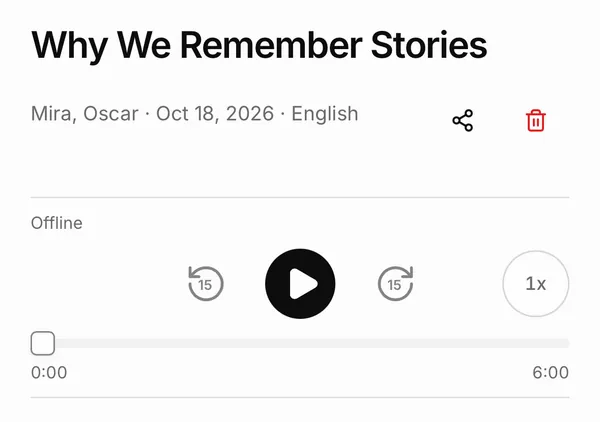
Listen, and read along
The episode has a player, the transcript and the sources it was made from.


Screens: Castella in the iPhone 16 simulator (iOS 26), captured 19 October 2026 from the current development build with sample episodes and text, in light and dark mode (this page shows the one that matches your device). Labels can differ slightly from the App Store version, 1.7.6.

Castella writes the conversation, then makes the audio
Castella’s server writes a conversation between your hosts about the material you gave it. In the app: “We’re writing your episode. Audio comes next.”
The server turns the conversation into speech. In the app: “We’re creating the audio. Your episode will appear in Library when it’s ready.”
You can leave: “Follow progress in your library once creation starts.”
- Audio downloads to the iPhone the first time you play it; after that, the episode plays offline.
- Search the transcript, copy a part, or share the audio with the iOS share sheet (“Save or share audio”).
A transcript and the sources, with every episode
The episode screen has the player (“Back 15 seconds”, “Forward 15 seconds”, “Playback speed”), the Transcript, and the Sources it was made from.
The Sources tab lists the text, links and files behind the episode, with “Open original source” for links.


What you need
- An account. Sign in with Apple, or with email. You need one to create a podcast.
- A connection. Nothing is generated on the iPhone: your text, links and PDFs go to Castella’s server and its voice providers to make the episode.
- Credits. Each episode uses credits. The create screen shows your balance and the estimate before you start.
Limits
- Castella can’t read scanned PDFs without selectable text, or password-protected PDFs.
- Castella can’t open links that need sign-in, or take more than 5 links.
- Castella can’t use YouTube, audio, video or image files as a source.
- Castella can’t make episodes longer than 20 minutes without a plan, or 60 with one.
Questions
- What does Castella make?
- A podcast episode about the text, PDF or article links you add: a conversation between hosts, as audio, with a transcript and the sources it was made from.
- Which PDFs work?
- PDFs up to 10 MB each with selectable text: up to 3 per podcast, or 10 with an active plan. Scanned and password-protected PDFs don’t work; paste the text instead.
- Can I listen offline?
- Yes, once an episode is downloaded: the audio downloads the first time you play it. Creating an episode needs an internet connection and an account.
- How long can an episode be?
- Pick 5, 10 or 20 minutes, or a custom length: up to 20 minutes without a plan, up to 60 with Plus or Pro.
- Which languages?
- Episodes can be in English, Russian, Spanish, French, German, Japanese or Chinese.
- Does my content stay on my iPhone?
- No. Castella is online-first: text is sent to Castella’s server, PDFs are uploaded and links are fetched there, and voice providers make the audio. Your library and downloaded episodes are stored on the device.